RV Starlink Setup: What It Actually Takes
The obstruction check, the mount, the cable, and the power, in order.
The Setup, Step by Step
Every step and spec below follows Starlink's published documentation, last verified August 2026.
Run the obstruction check first
Before buying any mount, use the Starlink app obstruction tool at the spots where you actually camp. Trees that block solar also block satellites.
Choose the mount for how you park
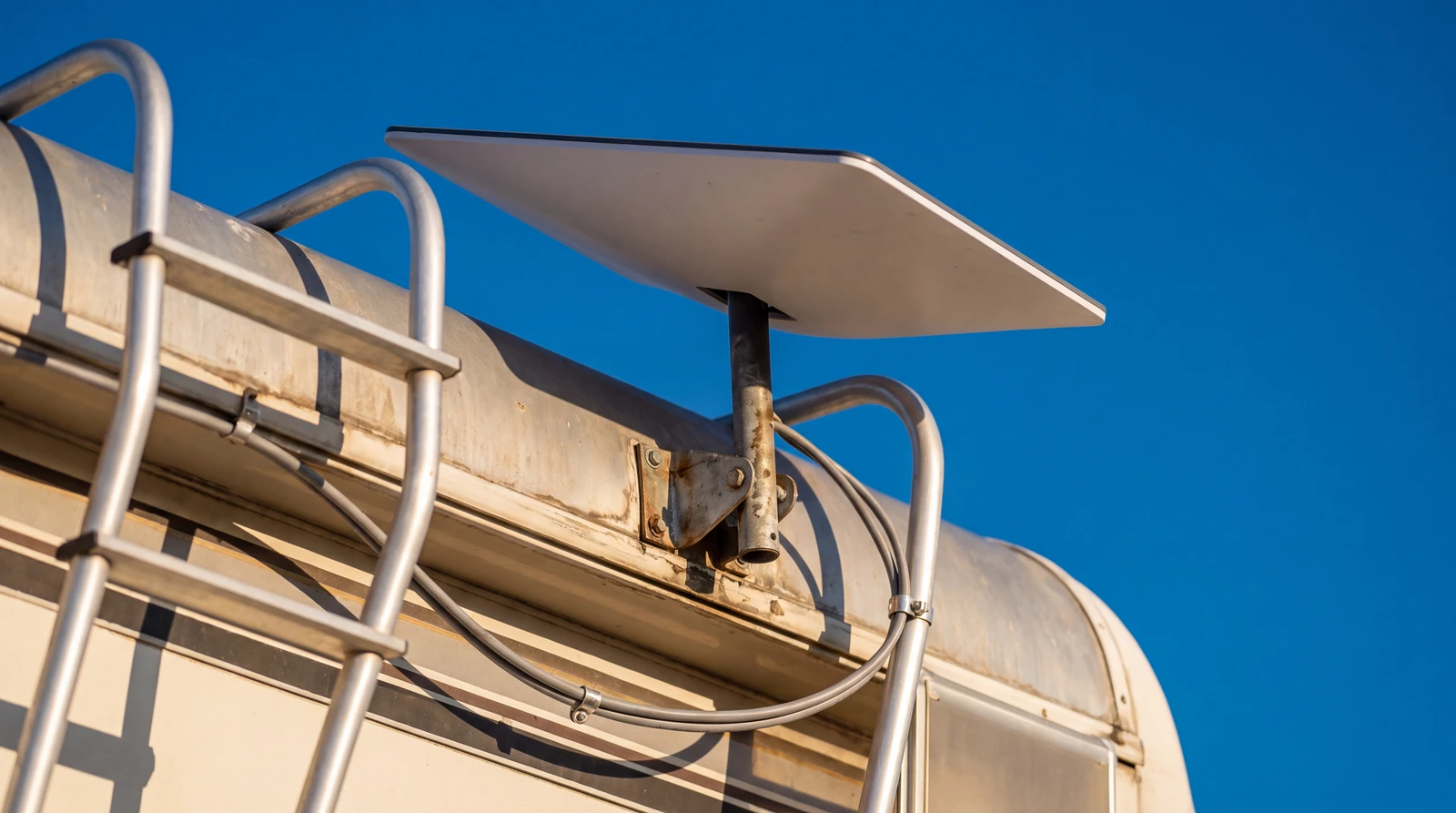
A ground tripod suits shade parkers, a ladder or roof mount suits open sky camps, and the flat high performance dish is the published option for in motion use.
Route the cable before you drill
Plan the cable path through a window seal, slide gap, or a drilled and sealed entry. The kit cable has a fixed length, so measure the run first.
Sort the power side
Full size kits ship with an AC router, so budget for inverter draw. The Mini publishes direct DC input, which suits small battery banks.
Activate the Roam plan and test
Activate service on starlink.com, then test at home for a full evening before the first remote trip depends on it.
Which Mount Fits How You Park
Ground tripod
Park in shade, walk the dish to sky.
The flexible choice, at the cost of setup time and a longer cable run.
Roof or ladder mount
Zero setup at camp.
Fixed to the rig, so the rig itself must park under open sky.
Flat in motion mount
The published option for use while driving.
Pairs with the flat high performance hardware and a permanent cable run.
A dish that travels on a tripod also needs a storage spot for travel days, which is the small detail that decides the choice between these three.
The Power Side Nobody Budgets For
Published Starlink specs put the Mini at roughly 25 to 40 watts and full size dishes at 50 to 100 watts depending on generation.
A dish that runs all day at those figures can draw more from the battery bank than a compressor fridge, so off grid users size solar around it.
Our off grid power sizing math turns that daily draw into panel and battery numbers.
Affiliate Disclosure
This page contains affiliate links to A1 SolarStore.
When you purchase from A1 SolarStore through these links, we may earn a commission at no additional cost to you.
This helps support our free calculators, guides, and research tools. Read our full disclosure
If the bank comes up short for a full day of dish time, the fix is panel and battery capacity rather than a different plan.
Fast US shipping. Other trust signals verified August 2026.
See Solar Panels That Fit Your RigAffiliate link. We may earn a commission at no extra cost to you.
Signal and power tips by email
Mount ideas, plan changes, and what the dish really takes from a battery bank.
Free by email. Unsubscribe anytime.
Where These Steps Come From
Every step, spec, and price on this page follows Starlink's published documentation and starlink.com, last verified August 2026.
None of it comes from an install we performed, and no speed or power measurement here is our own.
Starlink changes hardware, plans, and terms without notice, so check the current pages before ordering.
Smart RV Hub Editorial Team
RV Technology Research and Reviews
Our writers research smart RV technology full time, covering solar power, connectivity, security, and power management.
Every guide draws on published manufacturer specifications and verified owner reviews, so you can compare options with confidence.
Meet the editorial team and our review standardsRV Starlink Questions
Which Starlink hardware should RVers pick?
The Mini is the light option with published direct DC input, while the full size dishes offer more performance and ship with an AC powered router.
Hardware runs $299 to $599 per starlink.com, last verified August 2026.
Do I need to mount Starlink on the roof?
No, and a ground tripod is a widely documented alternative.
It lets you park the rig in shade and walk the dish out to open sky, which a fixed roof mount can never do.
Can I use Starlink while driving?
In motion use is published as supported on Roam plans with the flat high performance hardware, while the standard dish is specified for stationary use.
Check starlink.com for the current terms before wiring anything for travel days.
How much power does the dish use?
Published Starlink specs put the Mini at roughly 25 to 40 watts and full size dishes at 50 to 100 watts depending on generation.
Over a full day online that can pass 1 kWh, which is a meaningful share of a small battery bank.
Does Starlink need a clear view of the sky?
Yes, and this is the single most common setup disappointment.
The Starlink app includes an obstruction checker, and running it before choosing a mounting spot is the step that saves the most regret.
Can I run Starlink straight off 12 volt power?
The Mini publishes a direct DC input range, so it can run from the battery side with the right cable.
Full size kits ship with an AC router, so they run through an inverter unless converted with third party hardware.
What internet speed should I expect?
Published Starlink figures for Roam service are commonly in the 50 to 150 Mbps range, varying with congestion and sky view.
We have not benchmarked it ourselves, so treat those as the provider's published ranges.
Do I have to pause service when parked for a season?
Roam plans publish a pause option, billed in monthly cycles.
That makes seasonal use workable, and the pause is managed from the account page rather than the app.
The pillar, the comparison, and the power to run it all.
All Three Ways To Get Online
The pillar: all three internet routes and how they stack.
Starlink vs Cellular
Still deciding? The two options compared side by side.
Power The Dish Overnight
Size the bank that carries the dish through the night.
Sizing The Box That Runs The Router
The AC router runs through this box, so size it right.
Best RV Cellular Signal Boosters
The cellular half of a two connection setup.
The Off Grid Camping Style
The camping style this setup is built for.
The Mistake Worth Avoiding
The expensive error here is drilling for a fixed roof mount before checking the sky at the places you actually camp.
Run the obstruction check on a tripod first, and only make it permanent once the spots you return to have earned it.
Fast US shipping. Other trust signals verified August 2026.
See Solar Panels That Fit Your RigAffiliate link. We may earn a commission at no extra cost to you.