New to the RV lifestyle? Start by renting an RV near you for a trial run before committing to full time remote work on the road.
📋 What you'll discover
- Find campgrounds with strong WiFi and cell signal
- Set up reliable internet with backup connectivity
- Balance work deadlines with travel adventures
- Stay productive while exploring new locations
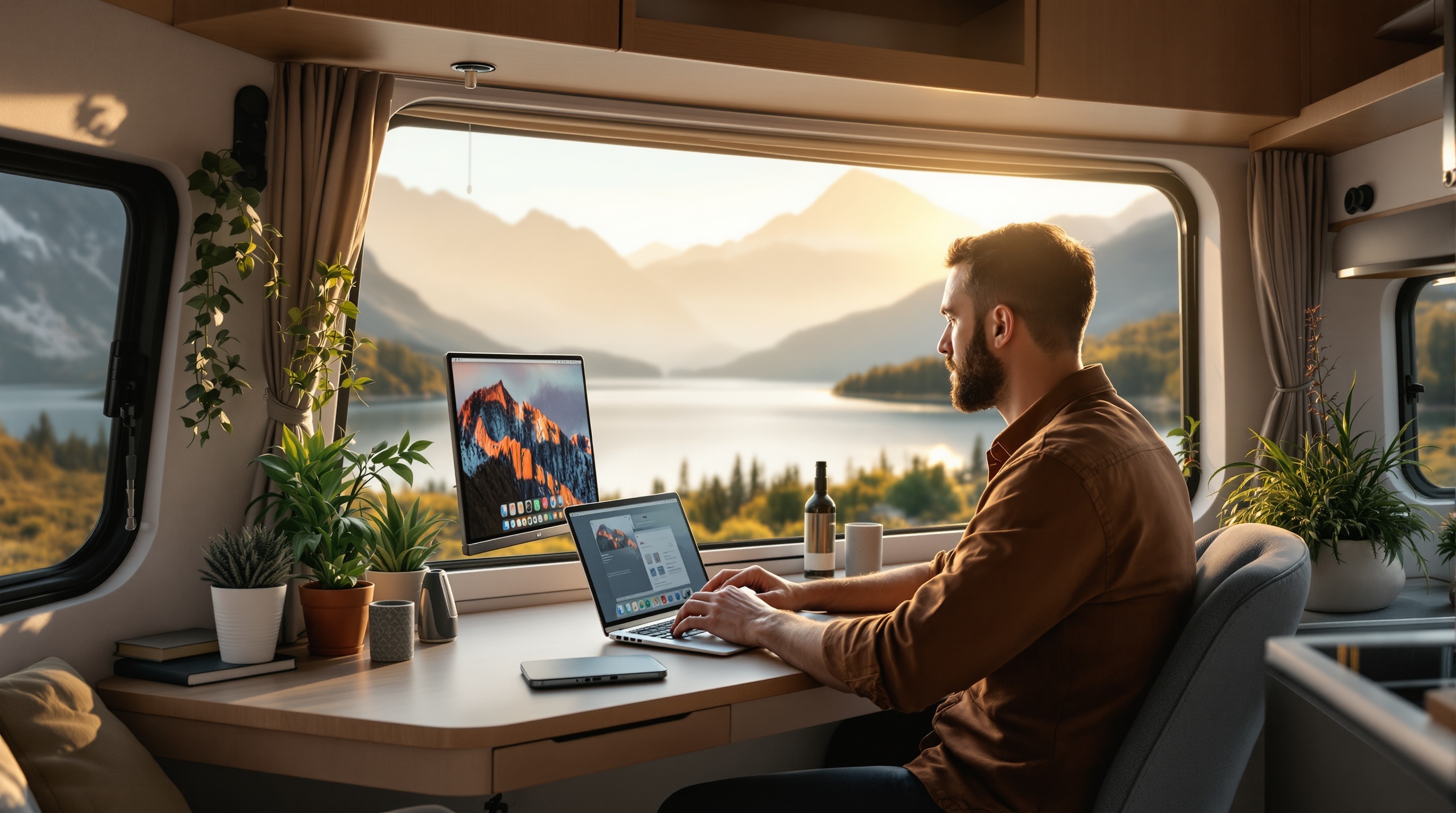
Remote Work RV Guide: Stay Connected From More Places You Camp
Remote work from an RV is no longer a dream reserved for freelancers and digital nomads.
A growing number of professionals are making it work full time, from campgrounds, national forests, and scenic overlooks across the country.
This guide covers what actually works: the gear, the campgrounds, and the backup systems that keep remote RV workers productive and connected.
Affiliate Disclosure
This page contains affiliate links.
When you purchase through these links, we may earn a commission at no additional cost to you.
This helps support our free calculators, guides, and research tools. Read our full disclosure
RV LIFE Pro campground count, trial terms, and app ratings verified August 2026. Check rvlife.com for current details.
Stay Connected for Meetings on the Road
Search more than 30,000 campgrounds and read what other RVers say about signal, so you can meet that deadline with a mountain view.
Rated 4.6 on the App Store, checked August 2026 (opens in a new tab), and available on Google Play. Try it with a 7 day free trial.
Try RV Life Pro Free for 7 Days →Affiliate link. We may earn a commission at no extra cost to you.
Is Remote Work from an RV Really Possible?
A growing community of remote workers have made the move into RVs, building careers from campsites and scenic overlooks across the country.
Full time remote work from an RV is now an established way to live for many travelers.
The benefits often go beyond just a change of scenery.
Many remote RV workers describe better work life balance once the setup is right, though results vary.
But here is the reality not always shown on social media.
This lifestyle only works if you solve three problems.
Reliable internet, a real workspace, and campground selection that accounts for actual job requirements.
The RV Life Pro platform lets you read campground reviews that often mention cell signal, and the member question roundup covers common connectivity setup questions.
Get any of these wrong, and the workday quickly falls apart.
To stay online wherever you park, review the cellular and signal booster options for staying connected built into modern RVs.
Remote Work Essentials:
- • Reliable high speed internet connectivity
- • Dedicated workspace with good ergonomics
- • Backup internet and power solutions
- • Campgrounds with strong WiFi and cell signal
- • Time zone management and scheduling
Internet Solutions
Combine cellular hotspots, campground WiFi, and signal boosters for reliable connectivity anywhere.
Workspace Setup
Create an ergonomic, distraction free workspace with proper lighting and comfortable seating.
Power Management
Solar, generators, and power management ensure you can work regardless of hookup availability.
Find Work Friendly Campgrounds
Plan around weak signal before it costs you a deadline. RV Life Pro lists more than 30,000 campgrounds with reviews from other RVers, which often mention signal and WiFi.
Start Your 7 Day Free Trial →Affiliate link. We may earn a commission at no extra cost to you.
How Do I Set Up Internet for Remote Work from My RV?
Set up a primary connection of a cellular hotspot or Starlink, then add a backup such as campground WiFi or a second carrier hotspot so a single dead zone never stops the workday.
Primary Connection
Cellular Hotspot (Recommended)
- Unlimited data plan (Verizon, T-Mobile, AT&T)
- Dedicated hotspot device or phone tethering
- Signal booster for weak coverage areas
- External antenna for improved reception
Starlink Satellite
- Works in remote areas without cell coverage
- Starlink Roam pricing varies by tier and region. Check starlink.com for current rates
- Hardware and monthly costs change periodically. See starlink.com for current pricing
- Requires clear view of northern sky
Backup Solutions
Campground WiFi
- Research campground WiFi quality before booking
- WiFi extender improves campground connection
- Use VPN for security on public networks
- Not reliable as primary work connection
Local WiFi Hotspots
- Coffee shops and libraries as backup
- Coworking spaces in larger cities
- Visitor centers often have free WiFi
- Always have backup plan for important calls
What Are the Benefits of Remote Work from an RV?
Many remote RV workers describe better work life balance and a steady stream of new scenery between deadlines, though results vary.
How Do I Set Up My RV for Remote Work?
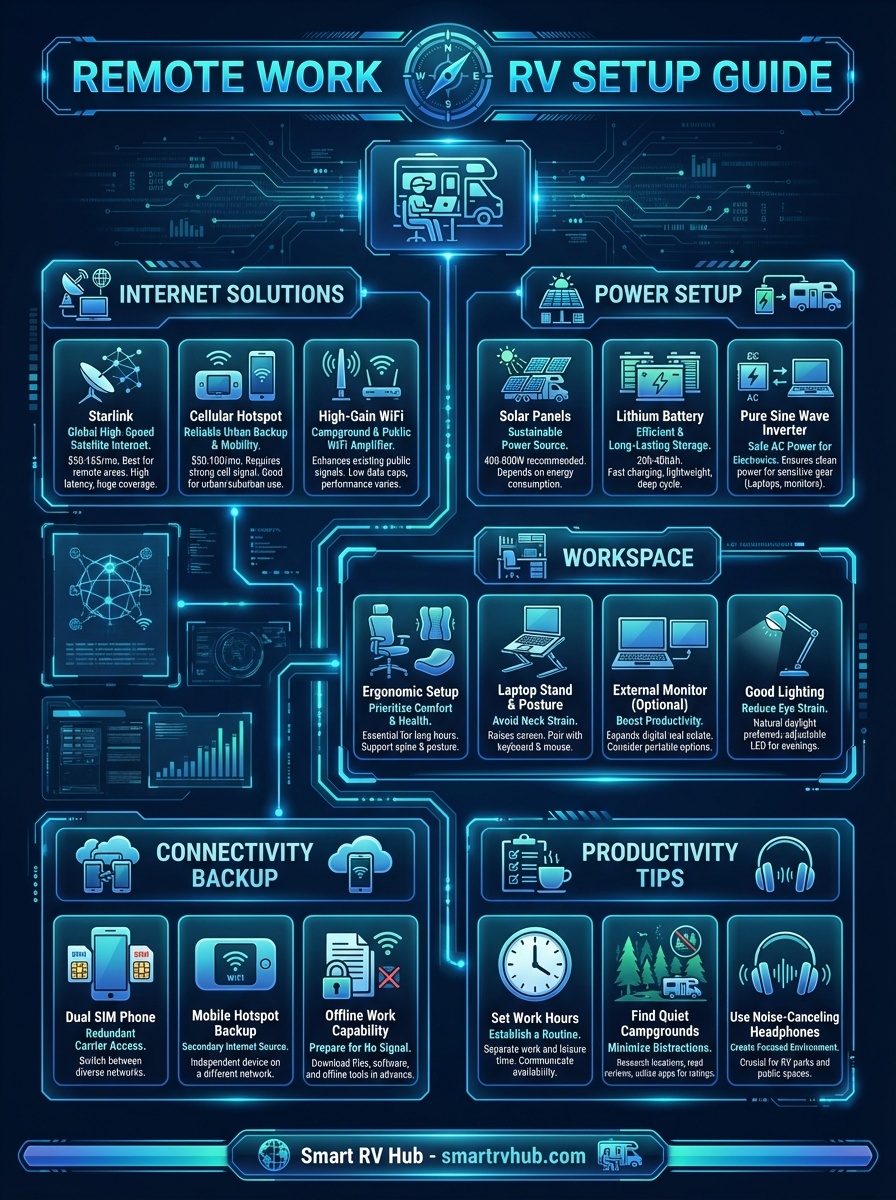
Set up your RV for productive remote work with reliable internet and power
Which Internet Option Is Best for My RV?
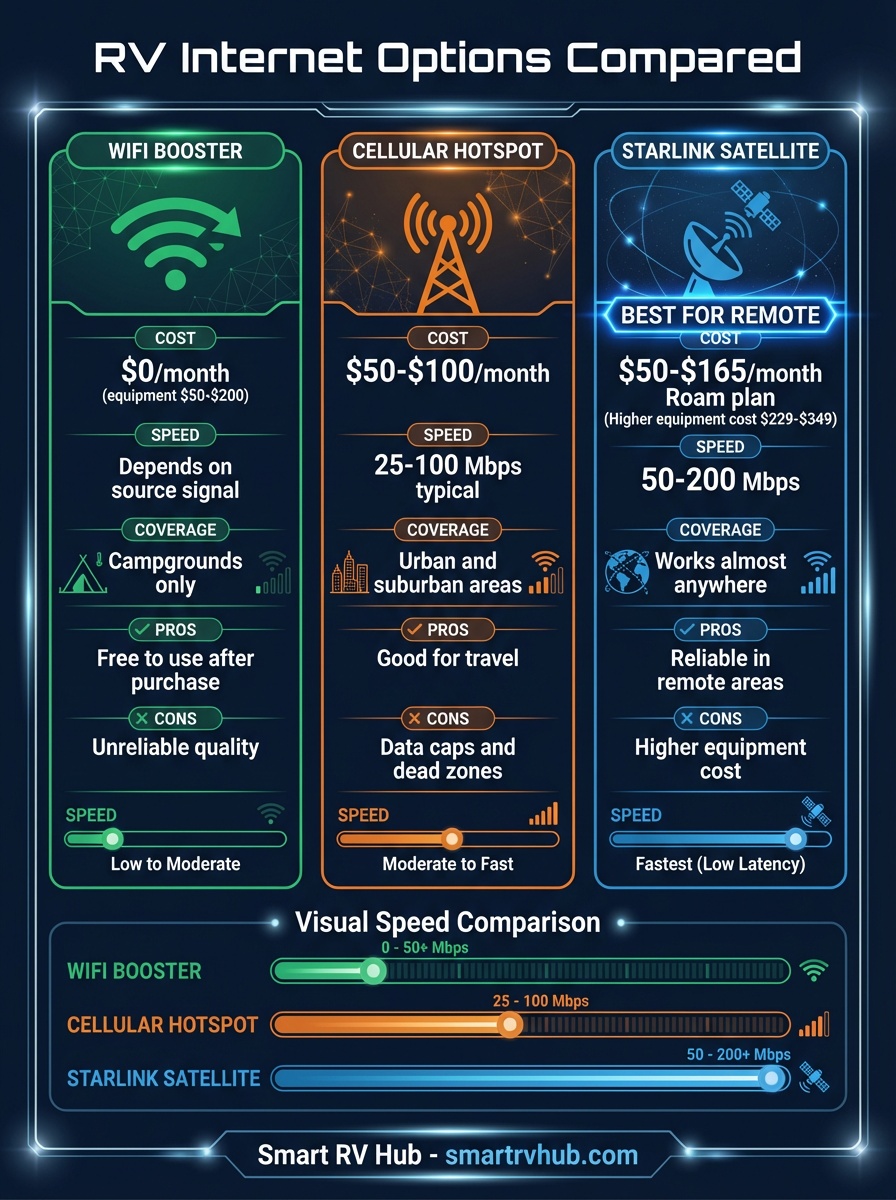
Choose the right internet solution for your remote work needs
How Do I Choose Work Friendly Campgrounds?
Choose campgrounds with verified cell signal for your carrier, full electric hookups, a quiet site away from the pool and playground, and weekly or monthly stay rates.
Must Have Features
- • Strong cell signal (verify your carrier)
- • Full hookups (30A or 50A electric)
- • Quiet location away from playground/pool
- • Backup WiFi for emergencies
- • Weekly or monthly stay options
Nice to Have Features
- • Dedicated workspace or clubhouse
- • Level sites for better desk setup
- • Proximity to coffee shops and coworking
- • Access to outdoor workspace areas
- • Community of other remote workers
Essential Tools for Remote Work from RV
Find work friendly campgrounds and plan productive travel
RV Life Pro for Remote Workers
Search campgrounds and read reviews that mention cell signal and WiFi.
Plan RV safe routes that keep you productive on the road.
- • Campground reviews that often mention signal
- • Offline maps for weak signal stretches
- • RV safe GPS routing
- • Extended stay and monthly rate information
- • Trip Wizard for planning travel days
- • Community forums for RVers
Affiliate link. We may earn a commission at no extra cost to you.
Related RV Work Resources
Remote Work RV Frequently Asked Questions
Can I work remotely from an RV full time?
Yes, many remote workers work full time from their RVs.
The key is having reliable internet connectivity, a dedicated workspace, and choosing campgrounds with strong cell signal or WiFi.
Many companies now support location independent work policies that make RV living feasible for remote employees.
What internet do I need to work from an RV?
You may want to consider a primary internet solution (cellular hotspot or Starlink) plus backup options for reliability.
Most remote workers use unlimited data plans from major carriers with signal boosters for improved reception.
Starlink satellite internet works well in remote locations without cell coverage.
Speeds vary by plan, location, and time of day, so check starlink.com for current performance specifications.
How do digital nomads stay connected in an RV?
Digital nomads typically use multiple connectivity layers including cellular hotspots, signal boosters, and WiFi extenders.
Many carry hotspots from different carriers (Verizon, T-Mobile, AT&T) to ensure coverage across various locations.
They also research campground connectivity before booking and have backup plans like local coffee shops or coworking spaces for important meetings.
What is the best laptop setup for RV remote work?
The ideal RV workspace includes a laptop stand for proper screen height, external keyboard and mouse for ergonomics, and good lighting to reduce eye strain.
A comfortable chair is essential for long work sessions, and noise canceling headphones help maintain focus in busy campgrounds.
Many remote workers also use a secondary monitor when space permits.
How do I handle video calls from my RV?
Successful video calls from an RV require stable internet (test beforehand), good lighting (face a window or use a ring light), and a quiet location away from campground activity.
Always have a backup internet source ready and inform colleagues you may need to reschedule if connectivity issues arise.
Consider parking near the campground office or WiFi hotspot for important calls.
How do I find campgrounds with strong cell signal for remote work?
Look for campgrounds with verified signal ratings for your specific carrier rather than relying on coverage maps alone.
RV Life Pro campground reviews from other RVers can mention signal on your carrier, which is worth checking before you book.
Reading recent reviews from other remote workers also helps confirm whether a site can support video calls and large file uploads.
Do I need backup internet for remote work in an RV?
Yes, a backup connection is strongly recommended for anyone whose income depends on staying online.
Many remote RV workers pair a primary cellular hotspot or Starlink with a secondary hotspot on a different carrier so a single dead zone does not end the workday.
Coffee shops, libraries, and coworking spaces serve as additional fallbacks for important meetings.
How much power do I need to work remotely from an RV?
A laptop and a hotspot draw relatively little power, but extended work sessions off grid still benefit from solar panels and a lithium battery bank.
A 400 to 800 watt solar setup with a 200 to 400 amp hour battery covers most remote work loads without a generator.
Full hookup campgrounds remove the concern entirely by providing shore power.
How do remote RV workers manage different time zones?
Plan travel so you arrive and settle before key meetings, and keep your calendar set to one consistent home time zone to avoid scheduling errors.
Many remote RV workers block their core working hours in the morning and save travel and exploration for afternoons.
Communicating your location and availability to your team in advance prevents missed calls.
Smart RV Hub Editorial Team
RV Technology Research and Reviews
Our writers research smart RV technology full time, covering solar power, connectivity, security, and power management.
Every guide draws on published manufacturer specifications and verified owner reviews, so you can compare options with confidence.
Meet the editorial team and our review standardsAffiliate link. We may earn a commission at no extra cost to you.
Unique Camping Experiences
Pair your RV Life Pro routes with a Harvest Hosts membership for overnight stays at wineries, farms, and breweries along the way, with no nightly fee once you join.
Affiliate link. We may earn a commission at no extra cost to you.
Fast US shipping. Other trust signals verified August 2026.
Shop RV Batteries and SolarAffiliate link. We may earn a commission at no extra cost to you.