
How to Use RV Life Pro: Plan Your First Safe Route in 10 Steps
Set up your account, plan your first trip, and master every feature in 10 straightforward steps.
📋 What you'll discover
- 10 step setup guide from download to first trip
- How to use offline maps without cell service
- Route planning with RV safe GPS navigation
- Campground search and trip sharing tips
RV LIFE Pro pricing, campground count, trial terms, and app ratings verified August 2026. Check rvlife.com for current details.
Affiliate Disclosure
This page contains affiliate links to RV Life Pro.
When you purchase from RV Life Pro through these links, we may earn a commission at no additional cost to you.
This helps support our free calculators, guides, and research tools. Read our full disclosure
Following along rather than reading ahead? Step 1 below is entering your rig's height, weight, length and width, and you need the app open to do it.
Open RV Life Pro and Set Up Your RigAffiliate link. We may earn a commission if you subscribe, at no extra cost to you.
A quick tour of the five tools
Tap each tool to see what it does for your travels.
Trip Wizard
Plan a whole route on a map, drop your stops, and see mileage and drive times so each day is a comfortable distance.
Affiliate link. We may earn a commission if you subscribe, at no extra cost to you.
Before You Start
Your Device
An iPhone or Android phone or tablet. Check the current system requirements on the listing when you download it from the App Store or Google Play.
Your RV Details
Know your RV height, weight, length, and width. Check your owner's manual or sticker on the driver's door frame.
Time Needed
About 10 minutes for initial setup, as a rough guide. Another 5 to 15 minutes to plan your first trip.
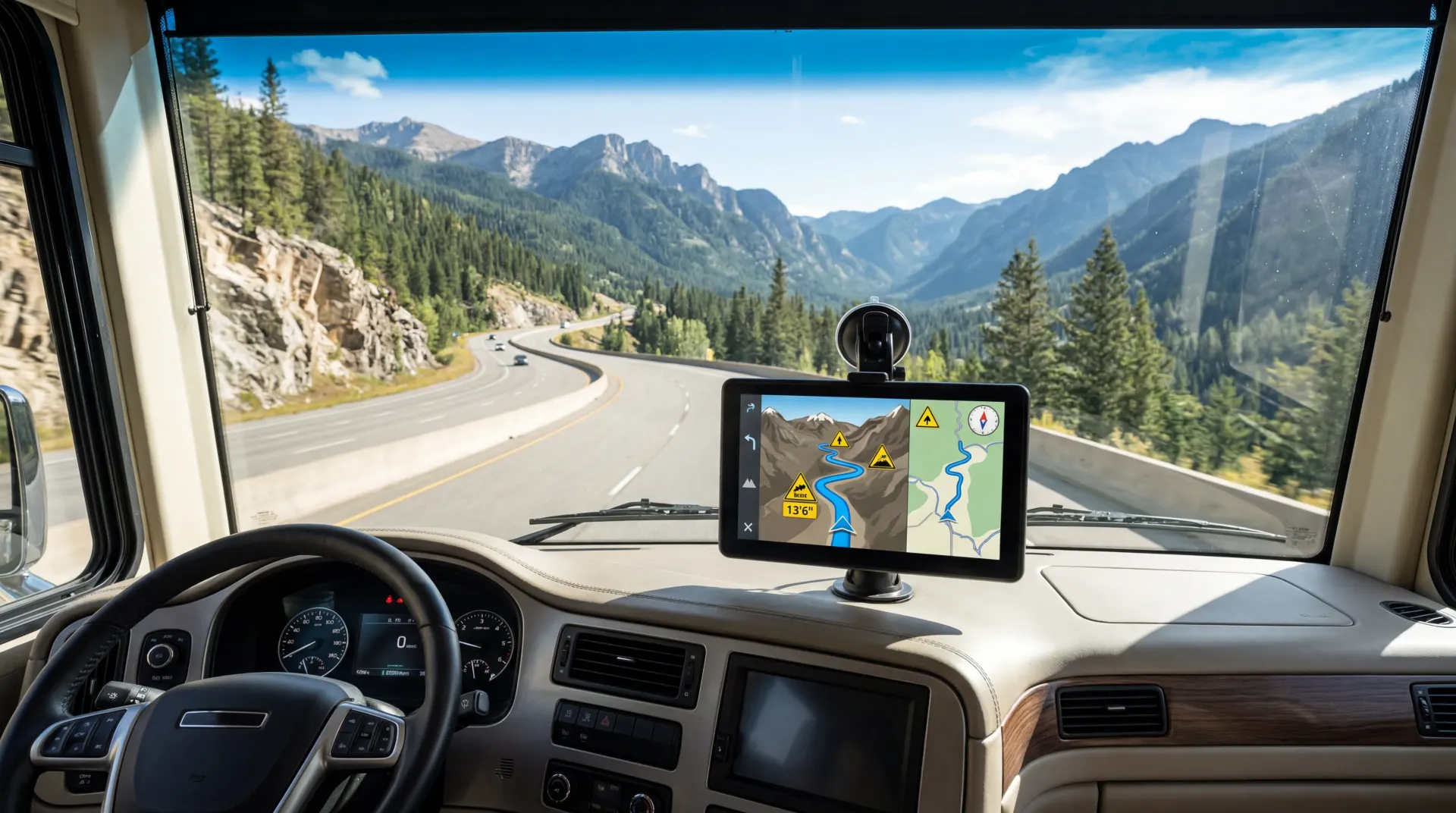
RV Life Pro GPS navigation routes around low bridges, weight restricted roads, and steep grades.
Step by Step: How to Use RV Life Pro
Create your account and start the 7 day free trial, enter your RV dimensions, download offline maps, then plan your first route with Trip Wizard. The full setup takes about 30 minutes from download to navigation.
Create Your Account and Start the Free Trial
Download RV Life Pro from the App Store or Google Play.
Create an account with your email address and start the 7 day free trial (verified August 2026).
You can cancel anytime before the trial ends.
Enter Your RV Dimensions
Go to Settings and enter your RV height, weight, length, and width.
Include any additions like rooftop AC units or bike racks.
These dimensions determine which routes your specific rig can travel safely.
Download Offline Maps
Before your first trip, download offline maps for the states you plan to travel through.
This ensures navigation works in areas without cell service.
Each state download is 50 to 200 MB.
Plan Your First Route with Trip Wizard
Open Trip Wizard and set your start point and destination.
Add waypoints for campgrounds, fuel stops, and attractions.
The app calculates RV safe routes that avoid low bridges, weight restricted roads, and steep grades.
Search and Save Campgrounds
Use the campground database to find sites along your route.
Filter by hookups (electric, water, sewer), price, amenities, and user ratings.
Save your favorites to your trip itinerary.
Set Up Fuel and Driving Preferences
Enter your RV's fuel type and tank size.
Set maximum daily driving hours and distance.
Trip Wizard will plan fuel stops and suggest overnight campgrounds based on your preferences.
Check Weather and Road Conditions
Review your planned route in Trip Wizard before you leave.
RV LIFE does not list weather alerts as a published feature, so check a weather app and your state's road conditions page for the day's drive.
Share Your Trip with Travel Companions
Use the share feature to send your planned route to your co pilot or family members.
They can follow along on their own devices and see estimated arrival times at each stop.
Track Maintenance and Expenses
Log your RV maintenance tasks, fuel costs, and campground expenses in the maintenance tracker.
Set reminders for oil changes, tire rotations, and seasonal maintenance tasks.
Use RV Safe GPS Navigation on the Road
When you are ready to drive, tap Navigate to start turn by turn RV safe GPS directions.
The app alerts you before any low bridges, weight restrictions, or steep grades on your route.
Step 4 (route planning) covers the basics. For the detail on low bridges, weight restrictions, propane tunnels, and mountain driving, read our guide to routing a tall, heavy rig.
Curious about the platform history? The origin story of the app explains why it was built specifically for RV safety.
You now have the ten steps. Trip Wizard is where they come together, and it routes around low bridges and weight limits once your dimensions are in.
Plan Your First RV Safe RouteAffiliate link. We may earn a commission if you subscribe, at no extra cost to you.
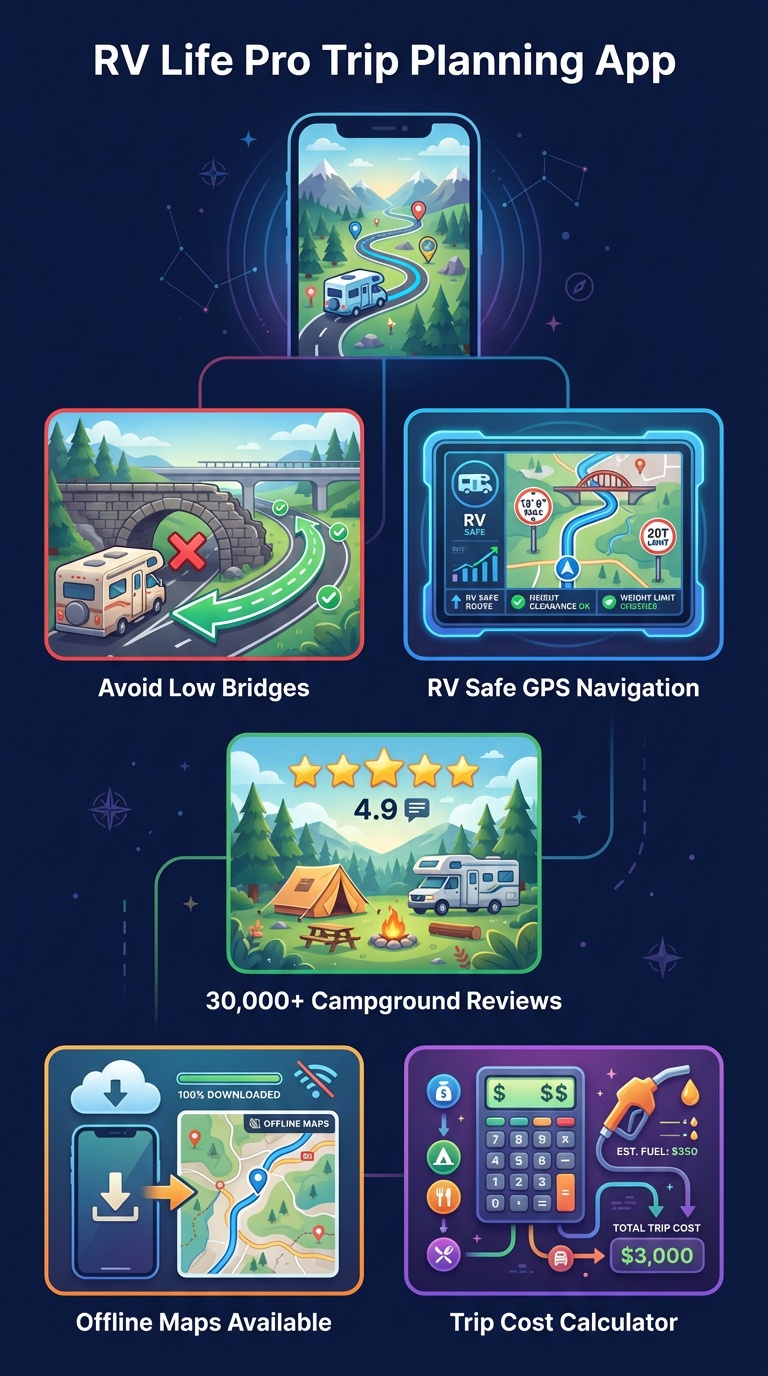
Trip Wizard lets you plan multi stop routes with campground stops, fuel costs, and daily driving limits.
Pro Tips for Getting the Most Out of RV Life Pro
Download Maps on WiFi
Download offline maps while connected to campground or home WiFi. State maps can be 50 to 200 MB each, so avoid using your cellular data.
Our walkthrough of RV Life Pro offline maps covers downloads, storage, and navigating without signal.
Double Check Your RV Height
Measure from the ground to your highest point, including rooftop AC units, antennas, and any cargo on top. Add 6 inches for safety margin.
Save Favorite Campgrounds
When you find a campground you like, save it to your favorites. Build a personal database of tested campgrounds for future trips.
Set Daily Driving Limits
Configure maximum daily driving hours in Trip Wizard. This prevents fatigue and ensures the app plans overnight stops at reasonable intervals.
Use the Maintenance Tracker
Log every oil change, tire rotation, and appliance service. Set reminders based on mileage or calendar dates to stay on schedule.
Share Routes with Your Co Pilot
Your travel companion can follow along on their device. They will see the route, upcoming stops, and estimated arrival times.
Routing is where the app is judged hardest, and our comparison of its engine with CoPilot GPS shows where each one leads.
Trip Wizard will happily route you to sites with no hookups, so read up on choosing panels for your roof before you plan a week off grid.
Want to compare RV Life Pro with alternatives? See our best RV trip planning app comparison or the full RV Life Pro vs competitors breakdown.
Weighing it against a campground review app? See how RV Life Pro stacks up against The Dyrt.
Not ready to pay yet?
Our roundup of free RV trip planning apps worth trying shows what you can do at no cost and where the paid tools pull ahead.
Looking for a discount?
Check our RV Life Pro promo code guide for the honest pricing breakdown.
Have questions before you start?
Find answers to common RV Life Pro questions covering setup, offline maps and refunds.
Retired and planning longer trips?
Read how grey nomads use RV Life Pro for stress free routes and accessible campgrounds.
Traveling with kids?
Our family trip planning guide covers kid friendly features.
No RV of your own yet?
Our guide to booking a rental shows how to try the lifestyle before you buy one.

RV Life Pro campground database covers 30,000+ locations with hookup details, reviews, and real photos.
RV Life Pro Tutorial FAQ
How long does it take to set up RV Life Pro?
Initial setup takes about 10 minutes.
You create your account, enter your RV dimensions (height, weight, length), and download offline maps for your area.
After that, budget a ballpark 5 to 15 minutes to plan your first trip, depending on complexity.
Do I need to be tech savvy to use RV Life Pro?
No. RV Life Pro is designed for all experience levels.
The interface walks you through each step, and most features work with just a few taps.
If you can use Google Maps, you can use RV Life Pro.
Can I use RV Life Pro on multiple devices?
Yes.
Your RV Life Pro account syncs across all your devices.
Plan routes on your tablet at home, then navigate from your phone in the cab.
Your trips, saved campgrounds, and settings stay in sync.
Does RV Life Pro work in Canada and Mexico?
Yes.
RV LIFE's help center says the RV safe GPS works in Canada and Mexico as well as the United States, and its campground listings cover all three countries.
Check support.rvlife.com for current coverage before you rely on it in a remote area.
How often does RV Life Pro update its campground database?
The campground database changes continuously as members add reviews and listings are updated.
RV LIFE does not publish a fixed update schedule for road data, so check support.rvlife.com for details and report any wrong clearance you find in the app.
What happens if I lose cell service while navigating?
If you downloaded offline maps before your trip, RV Life Pro continues to provide turn by turn GPS navigation without cell service.
The app uses your phone's GPS hardware, which works independently of cellular data.
How much does RV Life Pro cost after the free trial?
RV Life Pro is $65 per year after the 7 day free trial, which works out to about $5.42 per month.
That one payment opens every tool you will use in this tutorial, from RV safe GPS and the Trip Wizard planner through to the campground database, offline maps, and the maintenance tracker.
Close the trial before day seven and nothing is charged.
Do I need to enter my RV dimensions for routing to work?
Yes.
RV safe routing depends on your RV height, weight, length, and width, so enter them during setup.
Include rooftop additions like AC units or antennas in your height.
With accurate dimensions, the app routes you around low bridges, weight restricted roads, and steep grades.
Smart RV Hub Editorial Team
RV Technology Research and Reviews
Our writers research smart RV technology full time, covering solar power, connectivity, security, and power management.
Every guide draws on published manufacturer specifications and verified owner reviews, so you can compare options with confidence.
Meet the editorial team and our review standardsStart Using RV Life Pro Today
Follow these 10 steps and you will be planning safer RV trips in under 30 minutes. The 7 day free trial gives you full access to every feature.
Start Your 7 Day Free TrialAffiliate link. We may earn a commission if you subscribe, at no extra cost to you.
Get Weekly RV Tech Tips
Join fellow RV enthusiasts getting solar guides, smart tech reviews, and product deals.
Free by email. Unsubscribe anytime.
Related RV Life Pro Guides
Is RV Life Pro Any Good?
A feature by feature look drawn from published specs and user reviews.
Subscribe to RV Life Pro
Step by step signup and subscription details.
Best RV Trip Planning App
How the main planning apps stack up.
RV Life Pro Promo Code
Honest pricing breakdown and savings guide.
Family Trips With RV Life Pro
Kid friendly features and safer routes for family travel.
RV Life Pro Overview
Everything about the full platform.
Routing Around Low Bridges
Weight limits, clearances, and hazards on your line.
Which RV App Wins?
RV Life Pro set beside Campendium and AllStays.
Every RV App Category
Recommendations across every kind of RV app.
Routes safe for your rig
Try Low Bridge Routing Free for 7 DaysAffiliate link. We may earn a commission at no extra cost to you.